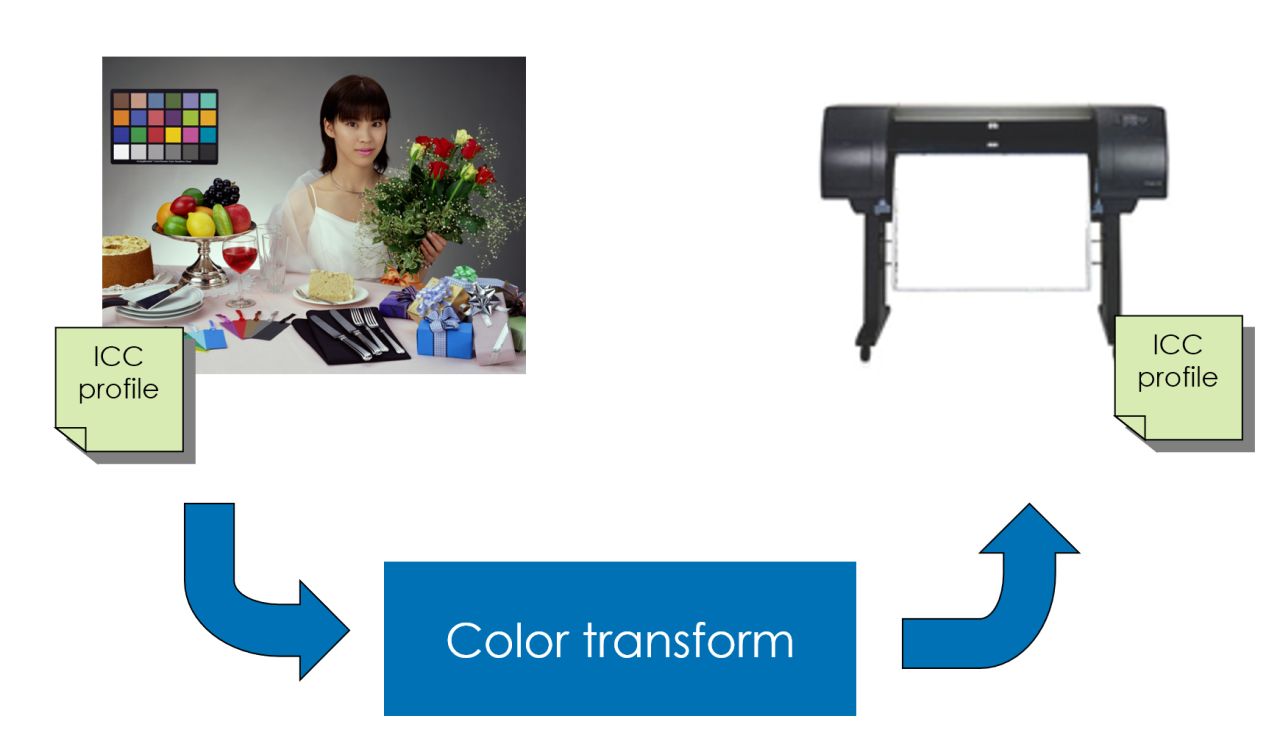
This is a less “hardcore technical” post, and I realize many of you may find it trivial. Nonetheless, I think it can still be interesting.
I keep seeing people talking about “applying” an ICC profile to an image.
Although there is one case, DeviceLink profiles, where this expression is certainly appropriate, in most situations I think it hides a misconception.
ICC profiles cannot normally be “applied” on their own, unless what you want is simply to convert your image to XYZ or Lab. In most workflows, ICC profiles work in pairs.
An ICC profile, in very simplified terms, is a “box” containing the algorithms and data needed to convert between a device-independent color space and a device-dependent one.
For example, it can convert from a device-independent colorimetric space, such as XYZ or Lab, to the RGB used to drive your monitor or the CMYK used to drive your printer.
And vice-versa, it can convert from the RGB of your monitor or the CMYK of your printer back to a colorimetric space. This reverse conversion is what people often call the “proof” direction.
ICC calls this intermediate colorimetric space the PCS Profile Connection Space.
And the PCS is not simply “plain Lab” or XYZ. It needs some “cooking”: white-point normalization, perceptual black-point scaling in the case of perceptual intents, gamut mapping, and other conventions defined by the ICC architecture.
It is even possible to use a reference gamut when building perceptual transforms, if you want to deal with gamut mapping in that way.
And here comes the magic.
Because the PCS is common to all profiles, you can connect two profiles through the PCS and obtain virtually any color conversion from one space to another:
source profile → PCS → destination profile
So, for example, we can connect an sRGB ICC profile with the ICC profile of your super-weird sublimation printer and obtain a very accurate, color-managed conversion between the two.
So… why do people keep talking about “applying” an ICC profile?
I guess that most of the time, it is because the image already comes with its source profile embedded.
That is how an image can effectively say:
“Hey, I’m encoded as sRGB!”
Then, when you “apply” an ISO Coated v2 ICC profile to that image, what the color-management system is actually doing is chaining the embedded sRGB profile with the destination profile you provide:
embedded sRGB → PCS → ISO Coated v2
And then you get a nice CMYK image, with hopefully proper gamut mapping and all the colors correctly translated.
So, you are not really “applying a profile”, you are performing a color conversion between two profiles.
No commercial link at end this time 😉 please don’t tag as AI-slop, even the image is hand-crafted